
Agent Status Automation
Set agents to Online automatically based on a schedule.
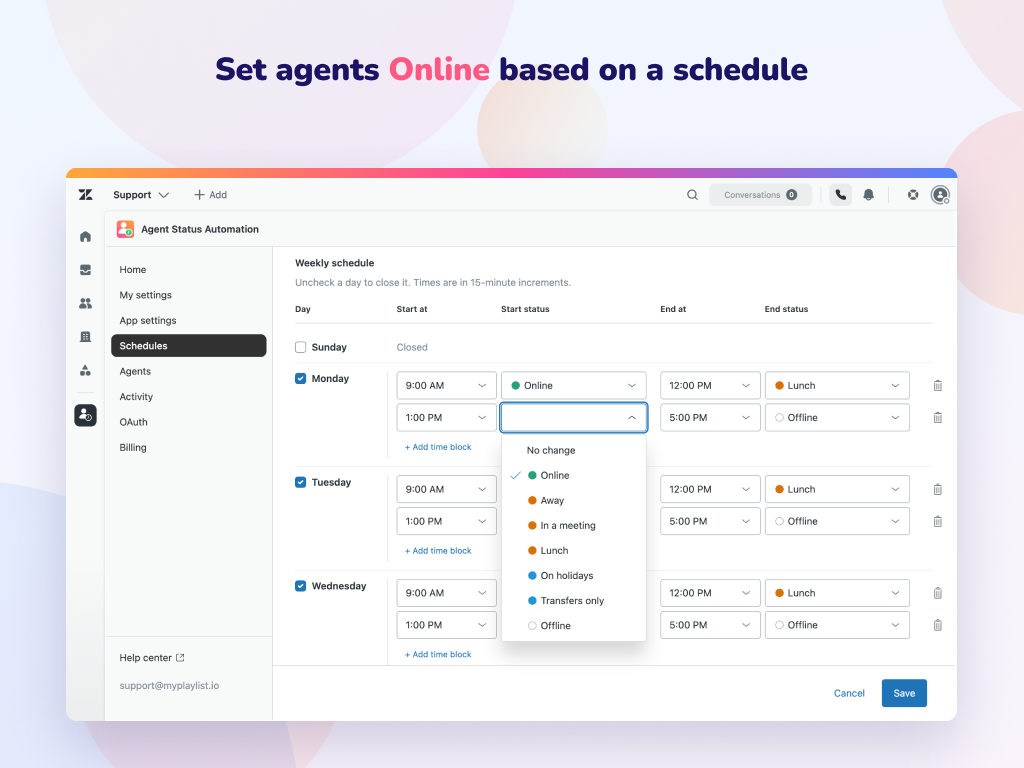
About Agent Status Automation
Zendesk omnichannel routing only assigns work to agents who are online. When agents forget to update their status, they can miss incoming work or remain available when they shouldn't be.
Agent Status Automation takes care of status changes automatically. Set up schedules for shifts, breaks, and meetings using standard or custom statuses. Each schedule follows its own time zone, adjusts for daylight saving time, and skips holidays and out-of-office days.
You can also automatically set agents online when they open Zendesk, with or without a schedule.
What's included
Set it up in minutes
Build schedules or import them from Zendesk. Select the start status and end status for each time block or shift. Optionally, require agent presence for scheduled updates. Set a time zone, and add holidays.
Give each agent or group their own schedule. Agents without a schedule use the default schedule.
Statuses change on time, and every change appears on the Activity dashboard.
Ready to try Agent Status Automation?
14-day free trial available on the Marketplace